Download Jenny Mod for Minecraft (2026) – Java & Bedrock

Download Jenny Mod
(Java 1.12.2 & Bedrock)
Jenny Mod adds a custom character and interactive features to Minecraft, making gameplay more engaging.
Version
v1.12.2
Windows 10/11
Required
| App Name | Jenny Mod |
|---|---|
| Category | Entertainment |
| Version | v1.12.2 |
| Supported Platform | (Java & Bedrock), depending on mod compatibility |
| File Format | JAR (typical Java mod format) |
| Mod Loader | Forge, if required by the selected version |
| Trusted Source To Download | Jennymodscraft.pro |
| Price | 0 USD |
Publish Date : 13/10/2026
Update Date : 20/11/2026
Have you ever wanted to try something different in Minecraft? Jenny Minecraft adds a custom character named Jenny and lets players interact with her in different ways. If you’re new to Minecraft mods, this guide explains its features, compatible versions, and how to download and install it on supported devices.
Jenny Mod Overview and Gameplay
Jenny Mod is a community-created Minecraft modification that adds a custom character and interactive features. The original Java Edition release is associated with Minecraft 1.12.2, while features and compatibility may vary across community-made versions.
Players can customize Jenny according to the options available in their version of the mod and enjoy different activities with her. These may include conversations, dancing, parties, and virtual dates. The available interactions depend on the version installed, giving players another way to explore the Minecraft world.
Basically, Jenny’s Mod was created by an independent developer known as SlipperyTum. It adds Jenny Belle to Minecraft, along with features that let players interact with her. Over time, other creators in the Minecraft community made their own versions and added new characters. The original mod was made for Minecraft Java Edition 1.12.2. It is an unofficial mod and is not supported by Mojang or Microsoft.
Who is Jenny, and what makes her so mysterious in Minecraft?
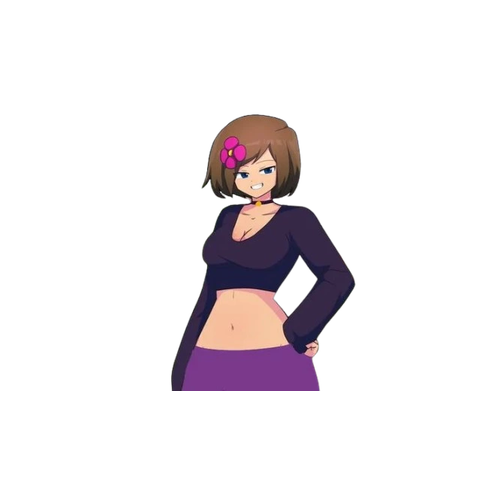
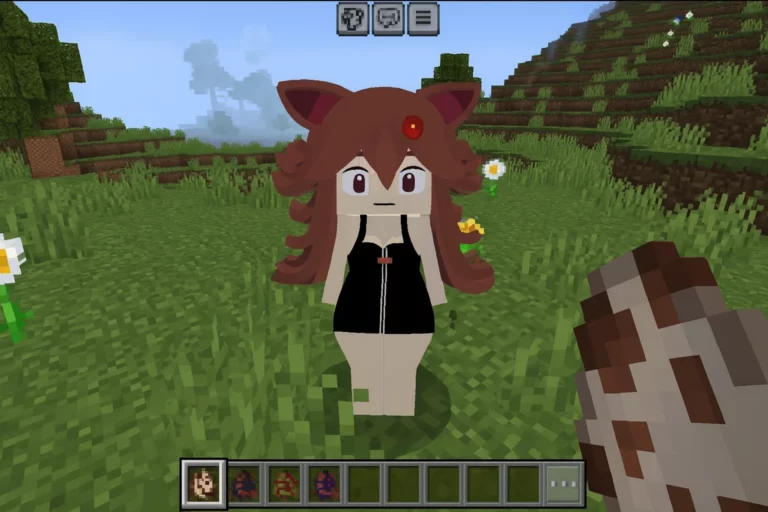
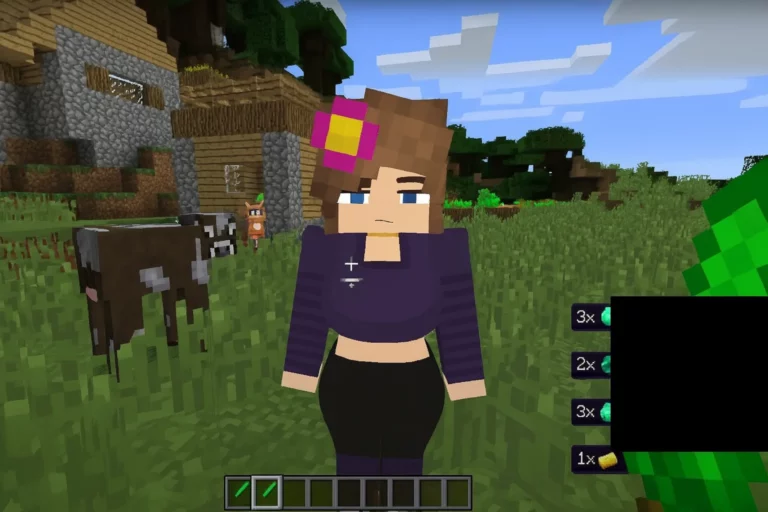
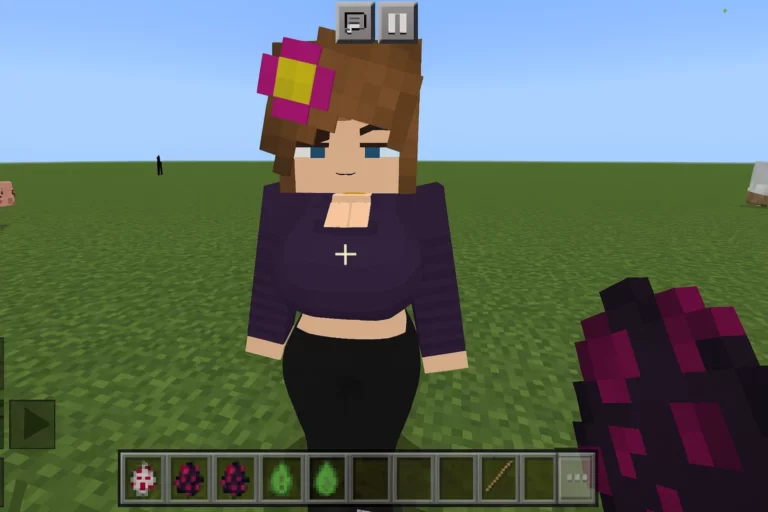
Jenny is a fictional companion character added to Minecraft through Jenny Mod. She has her own appearance and interactive features that let players interact with her in different ways.
Depending on the mod version, Jenny may also have special abilities and customization options that make her different from regular Minecraft villagers.
Why Is Jenny Mod Popular Among Minecraft Players?
Jenny Mod attracts Minecraft players who want to try something different from the usual gameplay. It introduces interactive characters and additional features that can make the game feel more personal. Players can explore new interactions and enjoy a different experience from standard Minecraft. The mod has also gained attention through gameplay videos, online discussions, and creator content, helping more players discover it. However, available features and compatibility depend on the specific mod version and Minecraft edition.
Jenny MOD VS Vanilla Minecraft
Vanilla Minecraft offers the original game experience. Players can explore the world, build houses, collect resources, craft items, and survive against mobs. It does not require any extra mods.
Jenny Mod adds new characters and interactions to Minecraft. It gives players more ways to interact with characters and enjoy different gameplay features that are not available in the original game.
The main difference is that Vanilla Minecraft focuses on building, exploration, and survival, while Jenny Mod focuses more on character interactions. Jenny Mod may also require a compatible Minecraft version and a mod loader such as Forge.
If you enjoy the original Minecraft gameplay, Vanilla Minecraft is a good choice. If you want to try extra character features, you can explore Jenny Mod, provided it supports your game version.
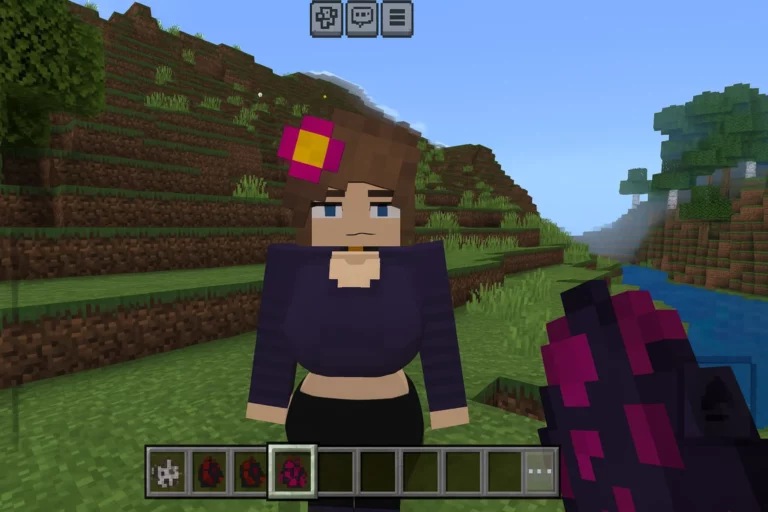
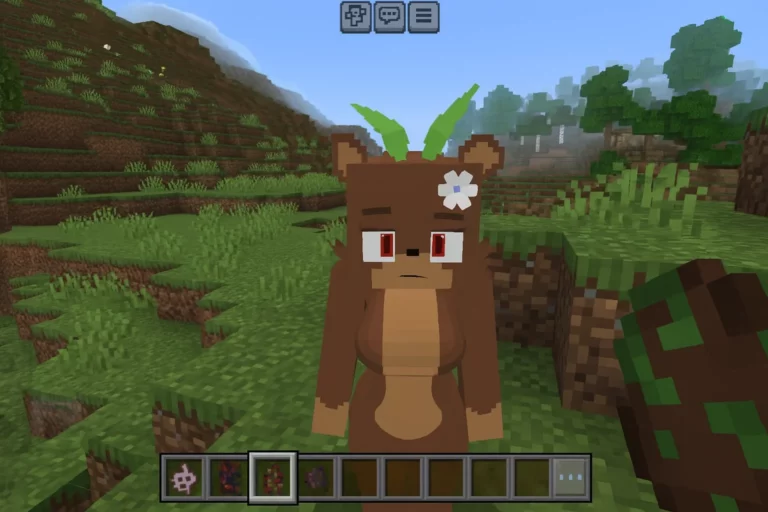
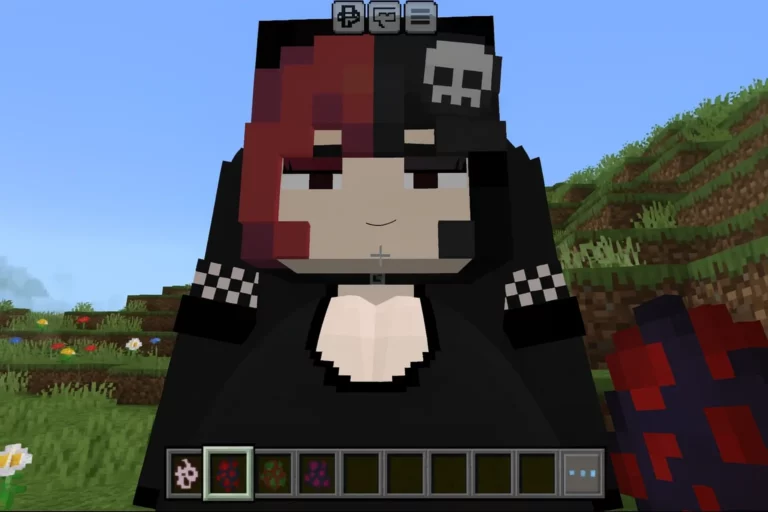
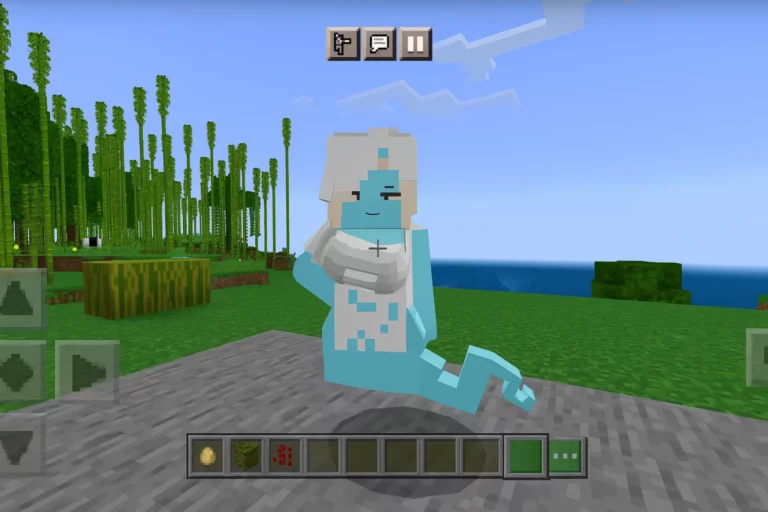
Jenny MOD Minecraft Gallery
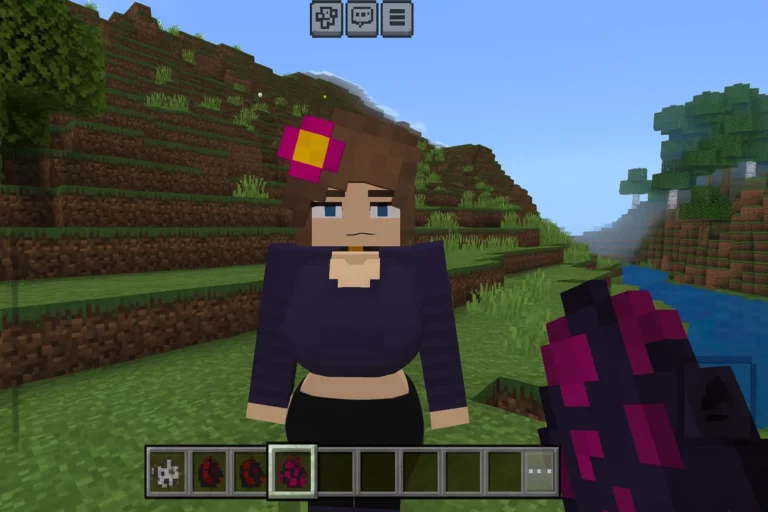
Best Jenny Mod Features
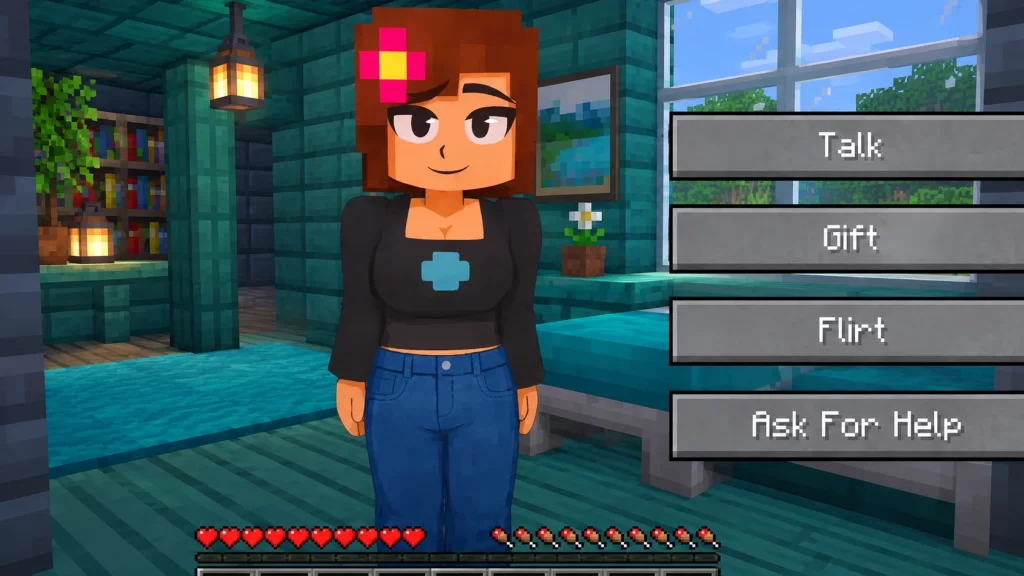
Interactive Characters
Jenny Mod adds a custom character you can interact with, though the available features depend on the version you install.
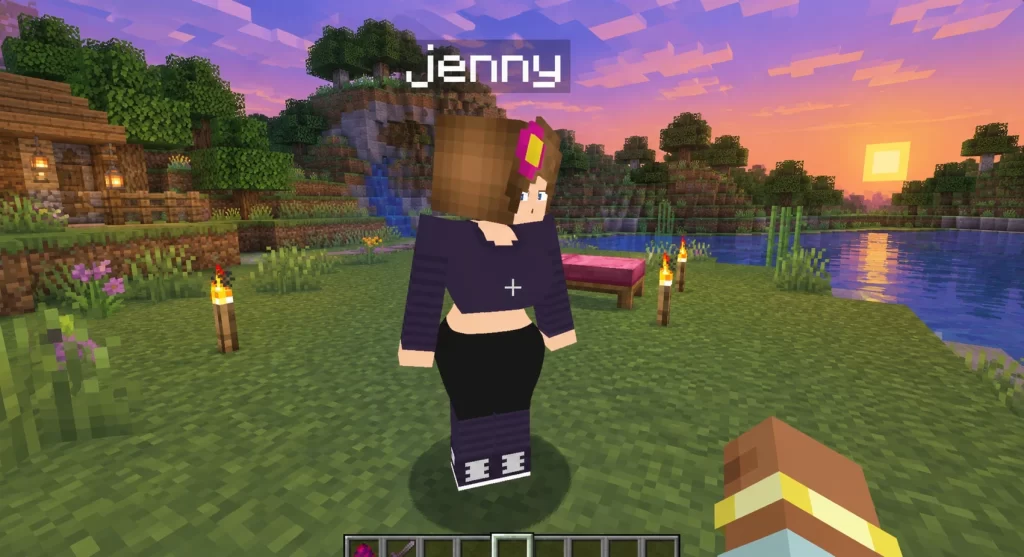
Custom Character Design
The mod introduces a custom character model that differs from Minecraft’s standard villagers and other default characters.
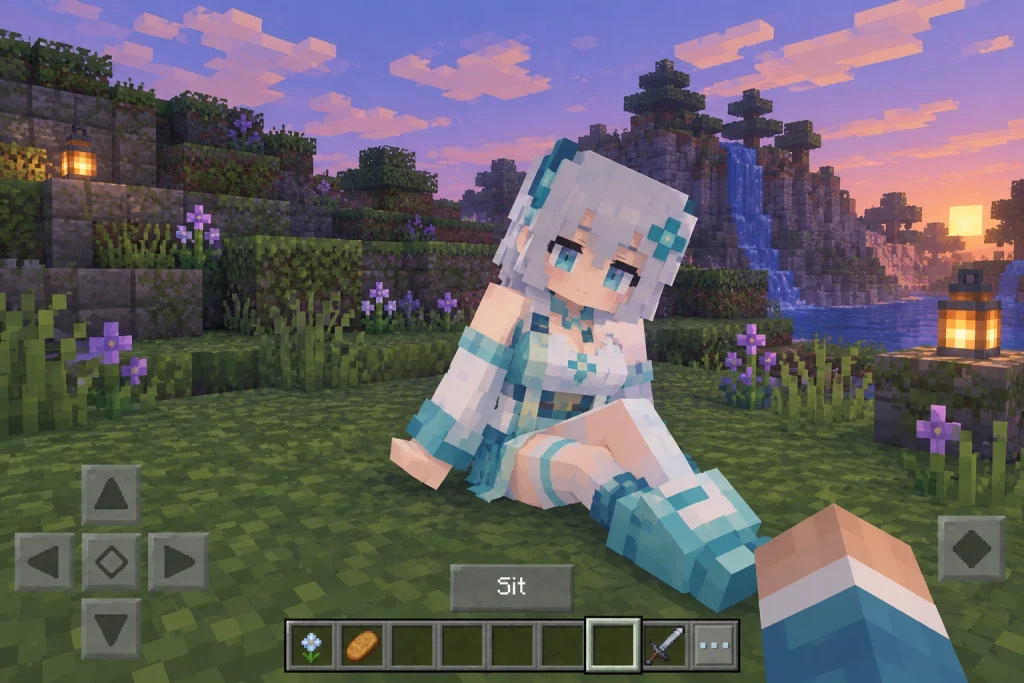
Character Animations
Some versions include custom character movements and animations that add variety to gameplay.
Custom Items and Interactions
Depending on the version, the mod may include special items or specific ways to interact with its character.
Modded Minecraft Gameplay
Jenny Mod adds content beyond the standard Minecraft experience, although its available features depend on the mod version and setup.
Character Bonds and Personal Connections
Build a Stronger Connection with Jenny
Players can interact with Jenny through different in-game activities. Available dialogue, animations and story events depend on the version installed. Giving her gifts, choosing friendly dialogue, and spending time together may unlock new responses, conversations, and story events. These features make interactions more interesting and add depth to the gameplay.
Discover Companions with Unique Personalities
Each companion has a different personality and brings something special to the game:
- Jenny: Confident, playful, and full of charm.
- Ellie: Gentle, caring, and always ready to help.
- Galath: Strong, brave, and protective.
- Bia: Cheerful, lively, and full of fun.
Players can choose a companion based on their preferences and enjoy different interactions throughout their adventure. This variety helps make each playthrough feel a little different.
Unique Character Moves and Interactions
Jenny Mod Minecraft includes different animations that make character interactions feel more natural. The Java Edition version for Forge 1.12.2 may include gestures, facial movements, and different character actions. Bedrock and MCPE versions may offer simpler animations designed for Android phones and other supported devices. Performance and available features depend on the version you install.
Gift Giving and Rewards
Gifts are one way to build a stronger bond with your companion in Minecraft Jenny Mod. Depending on the version you install, giving a character an item may trigger a reaction, a new line of dialogue, or other responses that deepen your relationship with her.
Characters like Jenny, Ellie, and Galath may also react to your actions in other ways, such as following you, responding during fights, or offering small tasks. These interactions go beyond what regular Minecraft villagers do.
Keep in mind that the available gifts, rewards, and reactions differ between versions, so check your version’s details before expecting a specific feature.
Companion Mode
Minecraft Jenny gives players more control over how Jenny behaves during gameplay. You can ask her to follow you, stay in one place, sit down, or explore nearby areas, depending on the version you’re using. In Java Edition, her AI helps her move around obstacles and follow players through different locations. Some Bedrock and MCPE versions may offer simple touch controls for interacting with companions on mobile devices. These features make exploring the Minecraft world with Jenny more engaging and interactive.
Exploring the World with NPCs
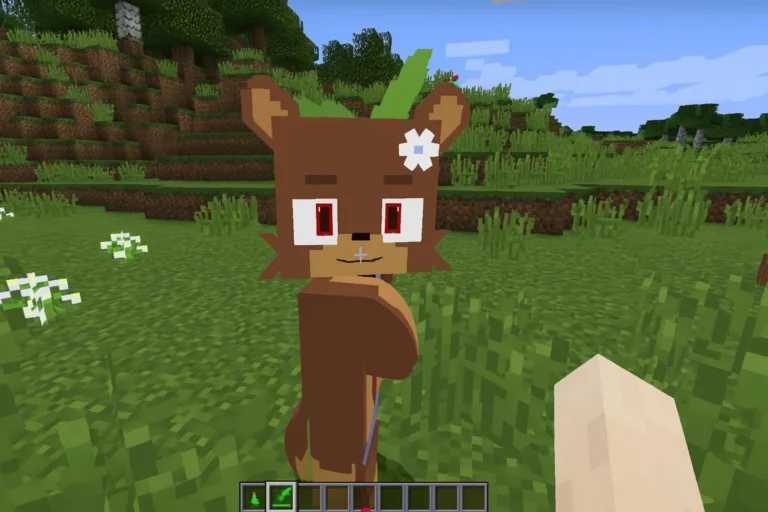
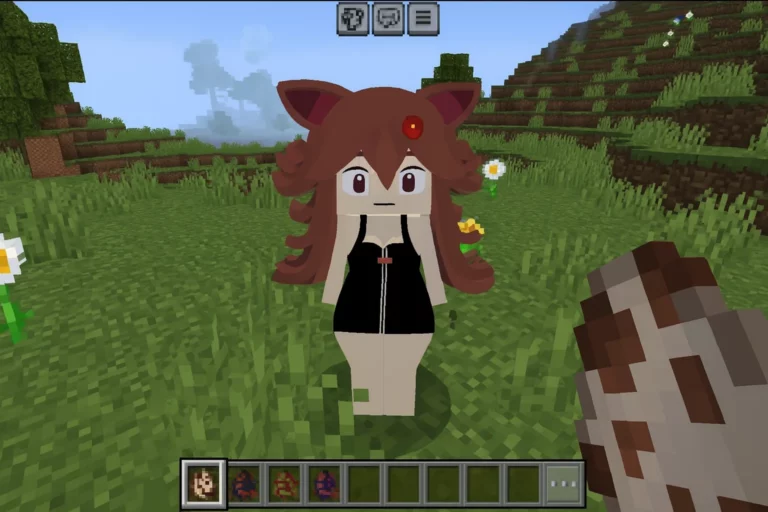
Characters can move around the Minecraft world, sit down, and react to nearby mobs, making the gameplay feel more lively. Depending on the version, they may also interact with furniture and items from other compatible mods. Players can use spawn eggs or other available methods to place characters in different locations, including custom adventure maps.
Jenny Mod System Requirements
Requirements for Java
| Requirement For Java | details |
|---|---|
| Minecraft Version | 1.12.2 |
| Mod Loader | Forge |
| Java Version | Java (updated) |
| Operating System | Windows 7, 8, 10, or 11 (64-bit recommended) |
| Processor | Intel Core i3 / AMD equivalent /(Intel Core i5+ / Ryzen 5+) |
| RAM | At least 4 GB or above for better experience |
| Graphics Card | GTX 1050 / RX 560 or above |
| Storage Space | 1 GB minimum |
| File Format | .jar |
Requirements for Bedrock
| Requirement For Bedrock | details |
|---|---|
| Minecraft Edition | Bedrock Edition |
| Minecraft Version | Latest version |
| Bedrock Version | Bedrock (updated) |
| Software | At least Windows 10 or better |
| Operating System | Windows, macOS or Linux |
| RAM | At least 4 GB or above for better experience |
| Storage Space | 2.4 GB Minimum |
| File Format | |
Minecraft Jenny Mod: Java vs. Bedrock Edition
Compatibility and features can differ between Java Edition mods and Bedrock add-ons. Check the requirements for your Minecraft version before installing either one.
| Feature | Java Edition | Bedrock Edition |
|---|---|---|
| Supported Devices | Windows, Mac, and Linux | Windows, Android, iOS, and consoles |
| Installation | Often requires Forge | Usually installed through compatible add-ons |
| Mod Support | Supports a wide range of community mods | Uses Bedrock-compatible add-ons |
| Character Features | Depends on the mod version | Depends on the add-on version |
| Controls | Keyboard and mouse, or supported controllers | Touch, keyboard, or controller, depending on the device |
| Performance | Depends on your PC and installed mods | Depends on your device and add-ons |
| Compatibility | Must match the Minecraft and Forge versions | Must match the Minecraft version and add-on requirements |
Download Jenny Mod for Java and Bedrock
Choose the file that matches your Minecraft edition and game version. Java Edition mods and Bedrock add-ons use different file formats and installation methods, so check compatibility before downloading. Java Edition mods and Bedrock add-ons use different installation methods, so choose the correct version and follow the relevant setup instructions for a smoother experience.
Jenny Mod Download Details
| Platform | File Type | Mod Loader Required | Compatible Minecraft Versions |
|---|---|---|---|
| Java Edition (PC, Mac, Linux) | .jar | Forge, depending on the release | Depends on the mod version |
| Bedrock Edition (Windows) | .mcaddon | Usually not required | Depends on the add-on |
| MCPE (Android) | .mcpack / .mcaddon | Usually not required | Depends on the add-on |
| MCPE (iOS) | .mcpack / .mcaddon | Usually not required | Depends on the add-on |
Which Version Should You Choose?
Choose Java Edition if you play on a computer and want access to traditional Minecraft mods. Choose Bedrock Edition if you play on a supported mobile device or prefer the Bedrock version of Minecraft.
Note: Not every Jenny Mod Download release supports both editions. Check the file details before downloading, as some versions may only work with Minecraft Java Edition 1.12.2.
How to Install Jenny Mod on Java Edition
Follow these steps to install a compatible Jenny Mod file in Minecraft Java Edition.
Check Your Minecraft Version
Open the Minecraft Launcher and check your game version. Make sure it matches the version supported by Jenny Mod.
Install Minecraft Forge
Check whether your Jenny Mod Minecraft file requires Forge. If it does, download the compatible version from the official Forge website and install it.
Download Jenny Mod
Download Jenny Mod from the download page on our website. Once the download finishes, open your Downloads folder and find the file.
Move the File to the Mods Folder
Press Win + R, type %appdata%\.minecraft, and press Enter.
Open the mods folder and move the downloaded Jenny Mod .jar file into it. If the folder doesn’t exist, create one named mods. This method applies to compatible Forge mod files.
Launch Minecraft
Open the Minecraft Launcher and select the Forge profile that matches your game version. Click Play to start Minecraft.
Check the Mod
Open a world and check whether Jenny Minecraft Mod is working. If it doesn’t appear, check the game version, Forge installation, and file location.
Having trouble? Make sure the mod file matches your Minecraft version and that you’ve followed its specific installation requirements.
How to Install Jenny Mod on Bedrock Edition
Installing Jenny Mod on Minecraft Bedrock Edition depends on whether a compatible Bedrock add-on is available. The original Java mod file usually won’t work directly on Bedrock Edition. Follow these steps if you have a compatible Bedrock version.
Check Compatibility
Check the download page to confirm that the file supports your Minecraft Bedrock version and device. Don’t use a Java .jar file for Bedrock Edition.
Download the Compatible File
Download the Bedrock-compatible add-on from a source you trust. Check the file type and installation instructions before opening it.
Open the Downloaded File
If the file is a supported .mcpack or .mcaddon add-on, open it with Minecraft. The game should start importing the content.
Activate the Add-On
Open your Minecraft world settings. Under the available resource packs or behavior packs, activate the imported add-on in the appropriate section.
Test the Add-On
Enter your world and check whether the add-on works as expected.
Important: These steps apply only to a compatible Bedrock add-on. If your Jenny Mod download is available only as a Java mod, you can’t install it using this method. Verify that a genuine.
Game Performance & Compatibility
Jenny Mod’s performance depends on your Minecraft version, device specifications, and installed mods. For smoother gameplay, use a compatible Minecraft version, keep Java updated, and allocate enough RAM. Check mod requirements before installation to avoid crashes, lag, or compatibility issues.
Player Safety & Content Controls
Minecraft may contain mature themes and character interactions, depending on the version. Before installing it, check the mod’s features and content to make sure they’re suitable for your preferences. Parents should review the content and use appropriate device or game controls when younger players have access to the mod.
Common Jenny Mod Problems and Fixes
Jenny Mod may not always work as expected. Here are some common issues you may encounter and how to fix them.
- Game Crashes on Launch: This may happen because of incompatible Minecraft or Forge versions. Make sure both versions match the mod’s requirements and check for conflicts with other mods.
- Jenny Mod Not Showing Up: If it doesn’t appear in the game, check that its JAR file is in the correct
modsfolder and that you’re launching Minecraft with the required mod loader. - Missing Dependencies: Some versions may require additional libraries or specific mod loader versions. Check the installation instructions and install any required components compatible with your setup.
- Game Lag or Low FPS: If Minecraft becomes slow after installing the mod, lower your render distance, disable shaders, and close unnecessary background applications.
- Minecraft Version Incompatibility: it may not work with every Minecraft release. Check the version listed on your download source and use a compatible Minecraft version and mod loader.
- Jenny or Its Features Not Appearing: If you can’t find Jenny or access certain features, confirm that the mod has loaded correctly and check its instructions for spawning characters or using specific features.
- Game Freezes During Gameplay: Mod conflicts or limited system resources may cause freezing. Test it without other additional mods and check the game logs if the problem continues.
How to Use Jenny Mod?
Java Edition
- Install the Minecraft Java Edition version supported by your mod file.
- Download and install the compatible Minecraft Forge version.
- Download the Jenny Mod
.jarfile from a source you trust. - Open your Minecraft game directory and find the
modsfolder. If it doesn’t exist, create one. - Place the mod file inside the
modsfolder. - Open the Minecraft Launcher and select the matching Forge profile.
- Start the game and check whether the mod loads correctly.
Bedrock Edition
- Check whether a compatible Bedrock add-on is available for your Minecraft version.
- Download the
.mcaddonor.mcpackfile from a source you trust. - Open the downloaded file with Minecraft, if your device supports this option.
- Wait for Minecraft to import the add-on.
- Open your world settings and enable the required behavior pack or resource pack.
- Enter your world and check whether the add-on works.
Pocket Edition
- Check that the downloaded add-on supports your Minecraft version and mobile device.
- Download the compatible
.mcaddonor.mcpackfile, if one is available. - Tap the file and choose Minecraft to import it.
- Open Minecraft and create a new world or edit an existing one.
- Enable the required behavior pack and resource pack in the world settings.
- Start the world and check whether the add-on’s features are available.
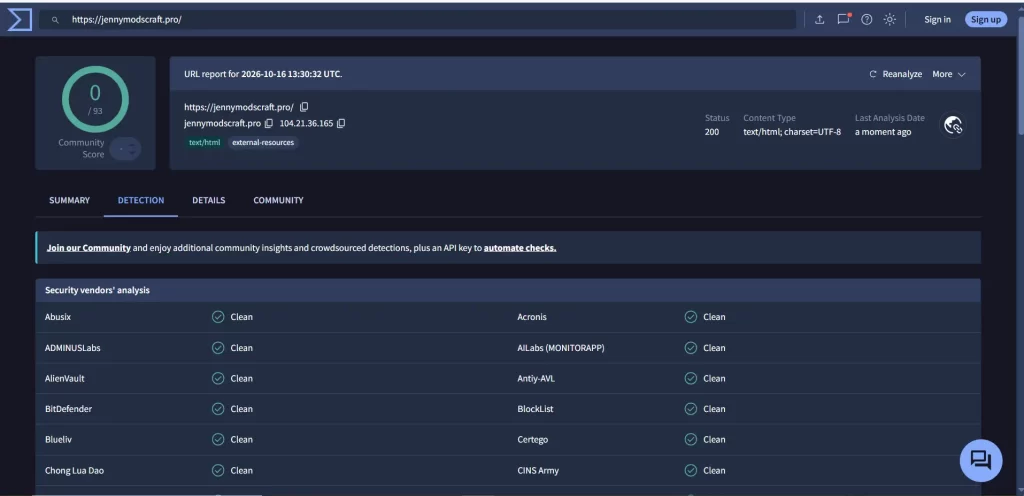
Is Jenny Mod safe to install?
Download the file from a source you trust and verify that it matches your Minecraft edition.
Scan the downloaded file with reputable antivirus software before installing it.
Avoid files that require you to disable antivirus protection, install unknown programs, or complete suspicious surveys.
Back up your Minecraft worlds before installing the mod.
Remember that an antivirus scan can reduce risk, but it cannot guarantee a file is safe.
Things to Know Before Installing Jenny’s Mod
What Do You Need for Jenny Mod?
You need Minecraft Java Edition, a compatible Forge version if required, and the Jenny Mod .jar file. Make sure all versions match.
Can You Play Jenny Minecraft Mod Offline?
Yes, you can play Jenny Mod offline in single-player mode after installation. Internet access is needed for downloads and updates.
Can You Play Jenny Mod With Friends?
Yes, if the mod supports your multiplayer setup. Everyone should use compatible Minecraft, mod loader, and mod versions.
Does Jenny Mod Need Admin Rights?
Usually, no. You can install it in your Minecraft mods folder without administrator access, depending on your computer’s permissions.
Does Jenny’s Mod Work on Chromebook?
It may work on some Chromebooks that support Minecraft Java Edition and the required mod loader. Compatibility depends on the device.
What Are Jenny Mod’s System Requirements?
Requirements vary by version. You need a computer that runs Minecraft Java Edition, enough RAM and storage, and compatible mod loader software.
Can Minecraft Jenny Mod Run on a Low-End PC?
Yes, if your PC can run the required Minecraft version. Lowering render distance and disabling shaders may improve performance.
Jenny Mod for Pocket Edition (PE)
Jenny Mod compatibility depends on the Minecraft edition and the specific file available. The original Java Edition mod cannot be installed directly in Minecraft Pocket Edition (PE). Players need a compatible Bedrock add-on to use similar features on mobile devices.
Jenny Mod PE Requirements
Before installing a Jenny Mod add-on, check the following requirements:
| Requirement | Details |
|---|---|
| Minecraft Edition | MCPE Edition (Pocket Edition) |
| Device | Compatible Android or iOS device |
| Minecraft Version | updated |
| File Format | Usually .mcpack or .mcaddon for Bedrock add-ons |
| Storage | 500 MB minimum |
| Compatibility | A compatible add-on is required; Java .jar files won’t work directly |
How to Download and Install Jenny Mod in Minecraft PE
- Check that the add-on supports your Minecraft version and device.
- Download the compatible
.mcpackor.mcaddonfile from a source you trust. - Open the downloaded file and select Minecraft if your device supports automatic importing.
- Open your Minecraft world settings and activate the add-on in the appropriate resource or behavior pack section.
- Enter the world and check whether the add-on works as expected.
Tips for a Better Experience
- Close background apps before launching Minecraft to free up RAM.
- Lower render distance to 6–8 chunks if gameplay stutters.
- Install the correct version for your Minecraft Gameplay.
- Avoid using multiple NPC mods that may cause conflicts.
- Back up your Minecraft world before installing Jenny Mod.
- On mobile, avoid combining add-ons with heavy resource packs.
- Download Jenny Mod files only from trusted sources.
Which Version should you install?
If you want to play Jenny Mod on your PC, the Java Edition is worth considering, especially if you want to try the mod in its compatible setup. Playing on a phone or tablet? Look for a Jenny Mod add-on made for Bedrock or MCPE instead. Before downloading, check your Minecraft version and make sure the file supports it.
Jenny Mod All Characters
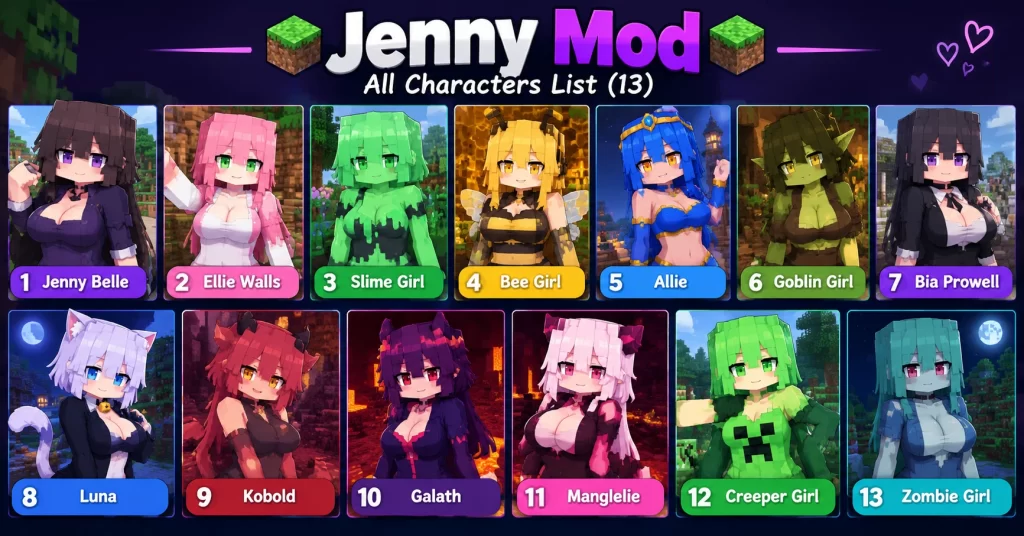
- Jenny Belle : A character with dark brown hair, purple eyes, and a purple outfit.
- Ellie Walls : A pink-haired character with green eyes and a pink-and-white outfit.
- Slime Girl : A green, slime-themed character with matching green hair and a slime-like appearance.
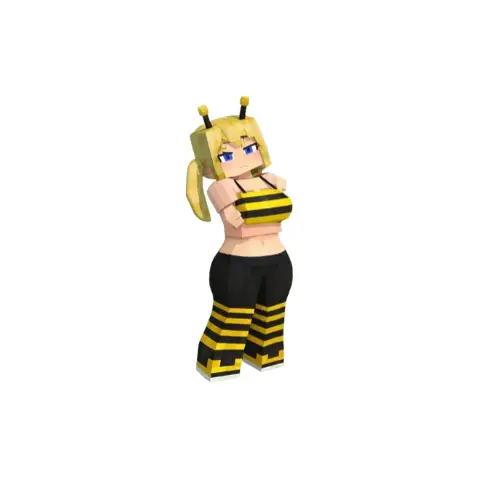
- Bee Girl : A blonde character with bee-inspired yellow-and-black clothing and small wings.
- Allie : A blue-haired character wearing a blue-and-gold outfit.
- Goblin Girl : A green-skinned character with dark hair, pointed ears, and a goblin-inspired appearance.
- Bia Prowell : A dark-haired character with purple eyes, wearing a black-and-white outfit.
- Luna : A white-haired, cat-themed character with blue eyes, cat ears, and a tail.
- Kobold : A red-haired character with pointed horns and a dark outfit.
- Galath : A purple-haired character with reddish eyes and a dark purple outfit.
- Manglelie : A pink-haired character with small horns and a black-and-pink outfit.
- Creeper Girl : A green-haired character wearing a green outfit inspired by Minecraft’s Creeper mob.
- Zombie Girl : A teal-haired character with pale blue-green skin and a zombie-inspired appearance.
How to Uninstall Jenny Mod
You can remove Jenny Mod by following the steps for your Minecraft edition.
Java Edition (PC)
- Close Minecraft and the Minecraft Launcher.
- Open your Minecraft game directory.
- Open the
modsfolder. - Find the Jenny Mod
.jarfile and delete it. - Restart Minecraft and check that the mod is removed.
Tip: Back up your Minecraft world before removing mods, especially if that world uses modded characters or items.
Bedrock Edition (Mobile/PC)
- Open Minecraft and select Play.
- Tap the pencil icon next to your world.
- Open Resource Packs or Behavior Packs.
- Go to the Active tab.
- Select the Jenny Mod add-on and tap Remove.
Which Jenny Mod Version Works Best?
The best Jenny Mod version depends on your Minecraft edition and device. If you play Minecraft Java Edition on a PC, choose a version compatible with Minecraft 1.12.2 and the required Forge setup. For Bedrock Edition, look for a compatible add-on file, such as .mcaddon or .mcpack, if one is available for your device. Before downloading, check the version requirements to avoid installation problems and crashes.
Pros and Cons
- Adds new characters to Minecraft.
- Makes gameplay more interesting.
- Includes character animations.
- Offers new interactions.
- Easy to use after installation.
- May need a specific Minecraft version.
- Setup can be difficult for beginners.
- May cause lag on low-end PCs.
- Not all versions support every device.
- Untrusted downloads may contain harmful files.
Most Popular Characters
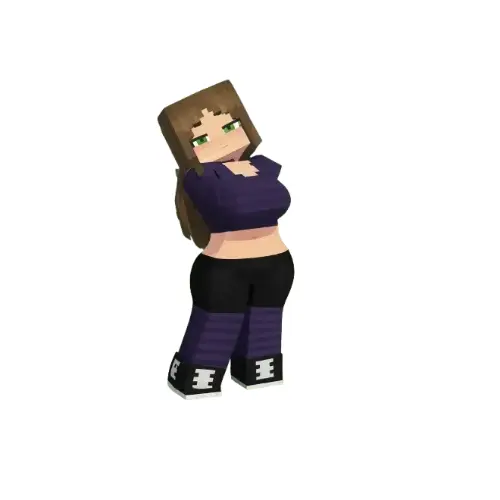
Jenny Belle
Jenny Belle is one of the characters featured in Jenny Mod for Minecraft. She stands out for her unique appearance, interactive dialogue, and character customization options. Players can communicate with her and explore different interactions, depending on the mod version. Her design and features add a different experience to Minecraft compared with the original game.
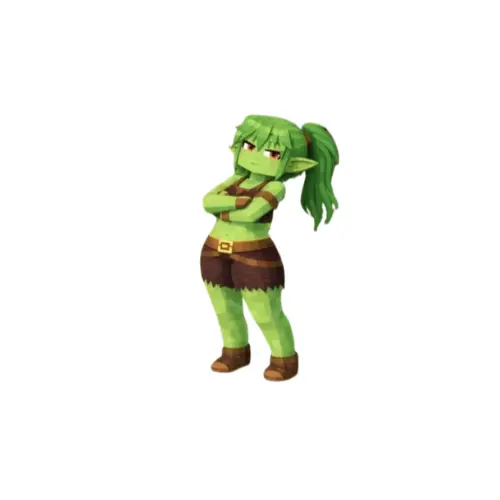
Goblin Girl
Goblin Girl is a fantasy character found in certain versions of Jenny Mod for Minecraft. Her unusual design gives her a different look compared with other characters in the mod. Depending on the release, players may be able to interact with her and discover her available features. Her appearance and functions can vary between versions.
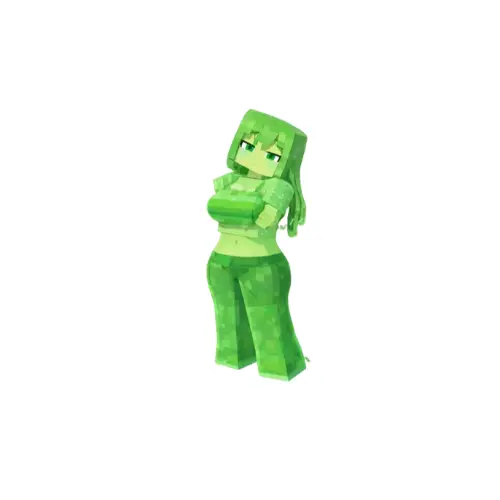
Slime Girl
Slime Girl is a unique character in Jenny Mod, known for her jelly-like body and special combat abilities. She can split into smaller slimes, making her different from other characters. Her soft, transparent appearance matches her slime-inspired design. In versions that support these abilities, she can also absorb and redirect attacks, making her a useful companion during combat.
Bee Girls
Bee Girl is a character in Jenny Mod known for her bee-inspired outfit and nature-themed appearance. She is often associated with forest areas and has abilities related to honey bees. In versions that support her special powers, she can summon a swarm of bees to attack nearby enemies, making her a useful ally during combat.
Jenny Mod Characters Skin Customization
Jenny Mod adds custom character designs to Minecraft, giving the game a different visual style. Models control a character’s shape, while skins and textures affect its appearance. The available customization options depend on the Jenny Mod version and the files you install.
Jenny Mod Customization by Edition
Customization works differently in Java and Bedrock Edition. Check the compatibility of your files before installing additional skins, textures, or add-ons.
| Feature | Java Edition | Bedrock Edition / MCPE |
|---|---|---|
| Customization method | Mods and resource packs | Add-ons and resource packs |
| Character textures | Depends on mod compatibility | Depends on add-on support |
| Custom skins | May require compatible files | Support varies by add-on |
| Visual modifications | Depends on installed mods | Depends on supported add-ons |
| Compatibility | Requires the correct mod and game versions | Requires compatible Bedrock files |
Java Edition Customization
Java Edition supports a range of mods and resource packs that can change Minecraft’s appearance. However, these tools won’t necessarily change Jenny Mod’s character models unless the files support them.
- Character Models: Determine each character’s shape and design.
- Skins and Textures: Change colors, patterns, and visual details when supported.
- Resource Packs: May modify compatible textures or other visual elements.
- Additional Outfits: Available only if the specific Jenny Mod release includes them.
- Visual Mod Compatibility: Other mods may cause conflicts, so check compatibility before installing them.
Bedrock Edition and MCPE Customization
Bedrock Edition uses a different add-on system from Java Edition. For this reason, Java mods and resource packs generally cannot be installed directly into Minecraft Bedrock or MCPE.
- Add-on Support: Custom character features depend on the included files.
- Skin Imports: Minecraft skin support does not guarantee that a custom mod character’s appearance can be changed.
- Resource Packs: Use packs made for your Minecraft edition and version.
- File Compatibility: Unsupported files may cause missing textures or visual problems.
Character Models and Visual Quality
Character models define a character’s shape, while textures add colors, patterns, and surface details. Jenny Mod characters may use custom models and textures that differ from standard Minecraft player skins.
The model design, texture quality, and available animations can vary between releases. Higher-resolution textures may show more detail, but they don’t automatically provide better animations or extra customization options.
Tips Before Installing Custom Skins
- Check which Minecraft edition and version your Jenny Mod file supports.
- Download compatible resource packs or add-ons from sources you trust.
- Back up your game world before testing new files.
- If a character looks broken or has missing textures, remove recently added packs and check compatibility.
Note: Customization features vary by release. Check the details of your specific Jenny Mod version before expecting built-in outfits, custom skins, or extra appearance settings.
What do players say about their experience with Jenny Mod?
FAQs
What Is Jenny Mod?
Jenny Mod is a Minecraft mod that adds a new character and extra features to the game. What you can do with it depends on the version you install.
Is Jenny Mod Free?
Many websites offer Jenny Mod files for free. Always check the download source and scan files before opening them.
Which Minecraft Version Do I Need?
It depends on the Jenny Mod file you choose. Some Java versions need Minecraft 1.12.2 and Forge, while other versions may have different requirements.
Can I Play Jenny Mod on Android?
You may be able to play a compatible version on Android if a suitable Bedrock add-on is available. Not every Jenny Mod file works on mobile.
Can I Use Jenny Mod on iPhone?
It depends on whether a compatible version is available for your device. Check the file type and installation steps before downloading.
Why Is Jenny Mod Not Working?
Jenny Mod may not work if your Minecraft version is wrong, the file is in the wrong folder, or another mod causes a problem. Check the installation steps and make sure all required files are installed.
Can I Use Jenny Mod With Other Mods?
Sometimes, yes. However, some mods may not work well together. Try Jenny Mod on its own first to check whether it works correctly.
How Do I Remove Jenny Mod?
Close Minecraft and remove the mod file from your Java mods folder. For Bedrock add-ons, turn off or remove the pack in Minecraft settings. Back up your world before making changes.
Is Jenny Mod an Official Minecraft Mod?
No. Jenny Mod is made by third-party creators and is not an official Minecraft product from Mojang or Microsoft.
Why Does Jenny Mod Look Different on Some Websites?
Different downloads may include different characters, looks, or features. Check the version details before downloading so you know what the file includes.
Is Jenny Mod Safe for Kids?
No, Jenny Mod is not suitable for kids. It includes adult themes and character interactions that are not appropriate for younger players. Parents should check the mod’s content before allowing children to install or play it.
Conclusion
Jenny Mod Download adds custom characters and interactive features that offer a different way to enjoy Minecraft. Before downloading, check your Minecraft edition, game version, and installation requirements to make sure the files are compatible with your device.
Java Edition players may need Minecraft Forge and a compatible mod file, while Bedrock and MCPE players need a suitable add-on. Choose a trusted download source, follow the correct installation steps, and back up your world before making changes. With the right setup, you can explore the features available in your version of Jenny Mod with fewer installation problems.